How CDR preserves file integrity while rebuilding them
Same content, new hash
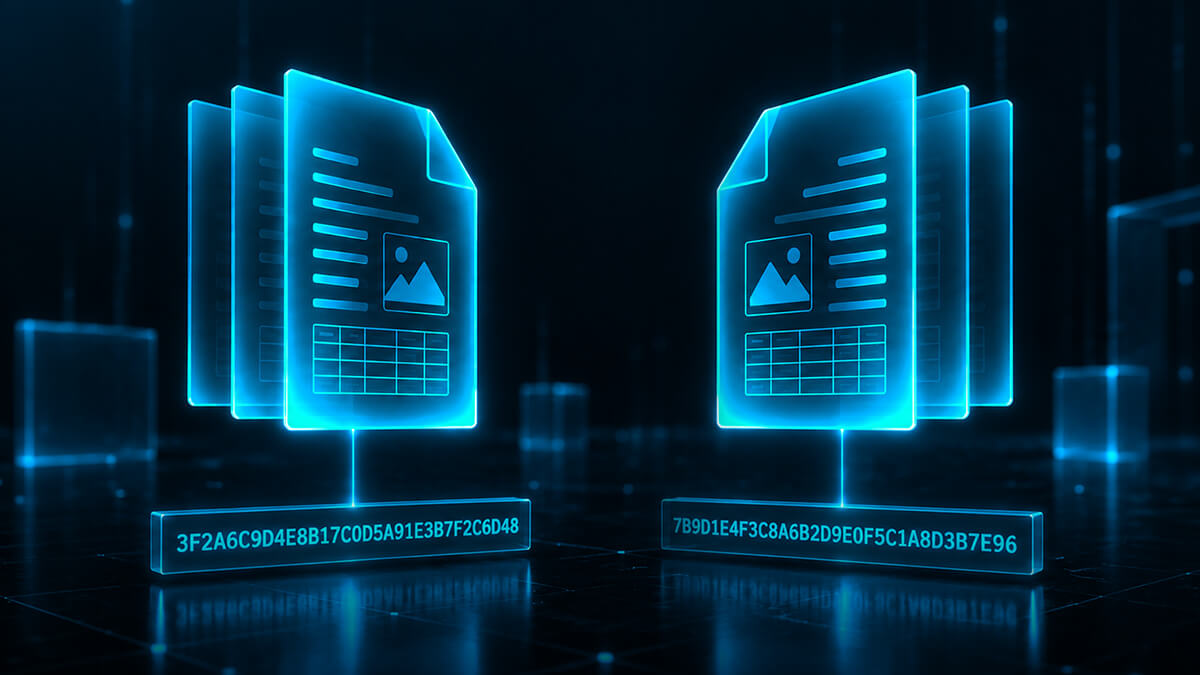
Content Disarm and Reconstruction (CDR) rebuilds a file, which means its hash changes, but the content you see and use remains the same.
A hash reflects the bytes that make up a file, not the content you see. This means two files can look and behave exactly the same but have different hashes.
A file that has been through Glasswall looks exactly as the sender intended, with the text, images, tables and layout all preserved. Beneath the surface, however, Glasswall has taken the file apart, validated each component against the file format specification, removed anything that should not be there and rebuilt it using only valid content.
Because the rebuilt file is structurally different at the binary level, it has a new hash, even though the content and experience for the user remain unchanged.
For organizations with audit, compliance or evidentiary requirements, this raises an important question: how can you prove the connection between the original file and its rebuilt version?
This article explains why the hash changes during CDR, how Glasswall maintains chain of custody between the original and rebuilt files, and how Glasswall Foresight can assess the original file without altering it.
The short answer
CDR rebuilds the file using only valid content, which results in a new hash even though the content remains the same. Glasswall records the hashes of both the original and rebuilt files, along with every structural change made, providing a clear and auditable link between them.
Glasswall Foresight can also classify the threat level of the original file without modifying it, allowing you to retain the untouched original for storage, quarantine or evidence purposes while users receive the safe, rebuilt version.
Protect, the CDR rebuild itself, can also be run as a 'dry run'. The file is analyzed without CDR rebuilding it, so you still get the analysis report showing exactly what risks have been identified in the file, with no rebuilt file produced.
How Glasswall CDR works
Glasswall CDR solution inspects a file, validates its structure against the specification for that file type, removes or repairs anything that does not conform, and applies your security policy before rebuilding and delivering the file.
Embedded files and other elements are processed individually, while final checks ensure the rebuilt file works as expected. Glasswall also records what changed during the process.
The key distinction is that CDR rebuilds rather than scans. Instead of looking for known threats, Glasswall reconstructs the file using only valid, compliant content, preserving the content users need while removing potential risk.
What Glasswall records
Glasswall calculates a hash of the file as it arrives and a hash of the file as it leaves and returns both.
In Glasswall Halo, the hashes you want are requested as query parameters and returned in the response headers, in SHA-256, SHA-1 and MD5:
Algorithm
File as received
File as delivered
SHA-256
x-hash-sha256-input
x-hash-sha256-output
SHA-1
x-hash-sha1-input
x-hash-sha1-output
MD5
x-hash-md5-input
x-hash-md5-output
The input hash is calculated and returned even when a file cannot be processed, so a file that fails to rebuild still leaves a fingerprint in your logs rather than a gap.
Alongside the hash pair sits the analysis report, which sets out what was found in the file and what the engine did about it. Together these give you a timestamped link between two specific artifacts and an itemized account of the difference between them.
It is worth being direct about the comparison. A single hash on a single file proves only that the bytes have not moved since somebody last looked at them. It says nothing about whether those bytes were safe. A hash pair plus a change report tells you what you received, what you delivered, and exactly what happened in between.
Building this into your own process
Three practical recommendations for teams putting this into an operational or audit workflow.
Record the input hash at the point of ingest, before the file reaches the CDR engine, so the earliest link in the chain is captured by your own system rather than only by ours.
Run file reputation lookups against the original hash, on the way in. Nothing about CDR prevents this. Glasswall integrates ReversingLabs for exactly this purpose, and it is designed to be applied to the file as received, not to the rebuilt output.
Use a dry run of Protect to see what is in a file before you act on it. The file is analyzed without CDR rebuilding it, so the analysis report shows exactly what risks have been identified in the file, with no rebuilt file produced. That is useful for tuning policy before you enforce it, and for workflows where the file itself is the evidence.
What Glasswall gives you is the underlying record: the hash of the file as received, the hash of the file as delivered and a documented account of the difference between them.
What a hash lookup can and cannot tell you
Hash matching is useful for identifying known malicious files, but it only works when that exact file has been seen and cataloged before. Change a single byte or create a new malicious file and there may be no matching hash.
This means a hash lookup is a valuable security check, but it should not be treated as a verdict on whether a file is safe.
In a Zero Trust approach, the absence of a known malicious hash does not make a file trustworthy. This is separate from chain of custody, but important when considering how the original file is assessed before CDR rebuilds it.
Preserve file integrity with CDR level threat intelligence
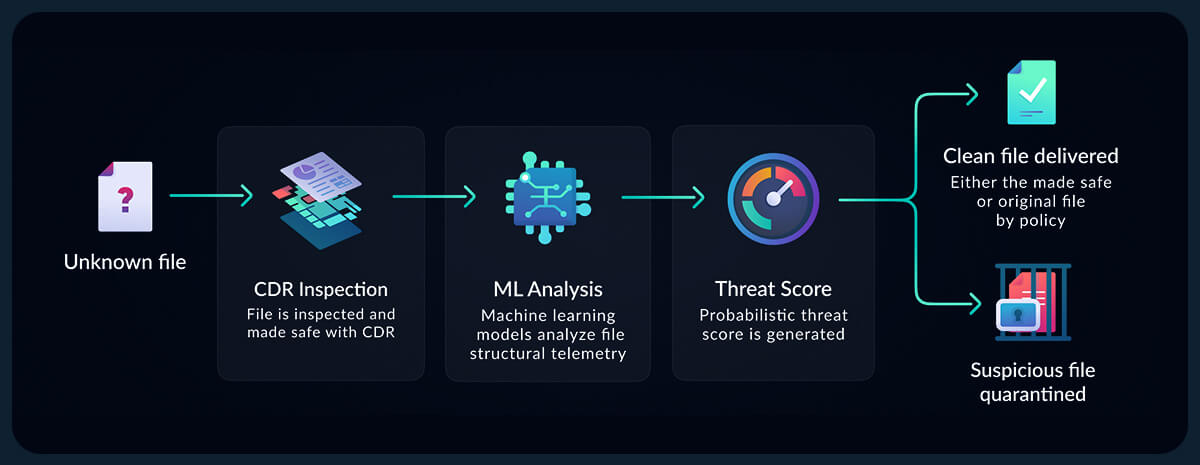
Glasswall Foresight assesses the threat level of a file without altering it. It uses the structural analysis produced during CDR, together with machine learning, to identify indicators that a file may be weaponized, without relying on signatures, sandbox detonation or external reputation services.
Foresight returns a simple risk classification that your security policy can act on:
Malicious: High probability that the file is weaponized and may need to be quarantined.
Suspicious: Indicators of potential risk have been identified and further caution may be required.
NoThreatsDetected: No indicators of malicious content have been found.
Because Foresight does not modify the original file, you can preserve it exactly as received while still having a threat assessment attached to it. This is particularly valuable for audit, evidence and compliance workflows where retaining the original file matters.
Foresight also operates without external lookups, making it suitable for disconnected and air gapped environments, and can assess previously unseen files where hash matching provides no insight.
A changing hash does not mean losing visibility or control over your files. With Glasswall, you can choose the approach that best fits your security, audit and compliance requirements.
Rebuild with CDR, and keep the link
Run your existing hash lookups against the original file on the way in, then let CDR rebuild it. The content is retained, and Glasswall records the hash of the file as received alongside the hash of the file as delivered. That link is your proof of custody: the old hash and the new one, tied together by a report of everything that changed between them.
Take a Foresight verdict, then release the original
Foresight assesses the threat level of the original file without modifying it. The verdict attaches to the file exactly as it arrived, so the original can be released, stored or quarantined on its own merits, with nothing rebuilt.
Run Protect as a ‘dry run’
Protect can be run as a dry run, where the file is analyzed without CDR rebuilding it. You see exactly what risks have been identified in the file, and the file itself stays unchanged, so originals can be released based on your policy rather than reconstructed by default.
Whichever approach you take, you have a clear record of the file you received, what Glasswall found and, when CDR is applied, what changed during the rebuild. The resulting hash may be different, but the connection to the original remains documented and traceable.
You decide whether the file changes at all. What does not change is your ability to prove what you received, what was found in it and what happened next.
Want to see how this works with your own files? Talk to us about an evaluation.
Riyya Ahmed
Our Senior Technical Writer and Product Marketing Manager, Riyya, is exceptional at authoring, organizing, and simplifying our product documentation. Using her keen eye for detail and wealth of experience in tech, Riyya helps our clients and partners seamlessly integrate with industry-leading Zero Trust CDR.
See what Zero Trust file protection looks like. Live, in 25 minutes.
A tailored walkthrough of how Glasswall rebuilds files to a known-good state, removes hidden threats, and provides the intelligence you need to understand file risk.
What's in the demo
See malicious files rebuilt in real time Watch Glasswall remove hidden threats and return a safe, usable files.
Integrate security without disruption See how Glasswall fits into your existing workflows and infrastructure.
Gain complete visibility into file risk Uncover threats, anomalies and hidden file intelligence.
“
Beazley's security is paramount, and this integration has significantly reinforced our cybersecurity framework.
Thank you! Your submission has been received!
Oops! Something went wrong while submitting the form.